Get a bot token
The token is the password your copy of the bot uses to log in to Discord. You create it once, in the Discord Developer Portal, and give it to the bot on its first run.
Create the application
- Open the Discord Developer Portal and sign in.
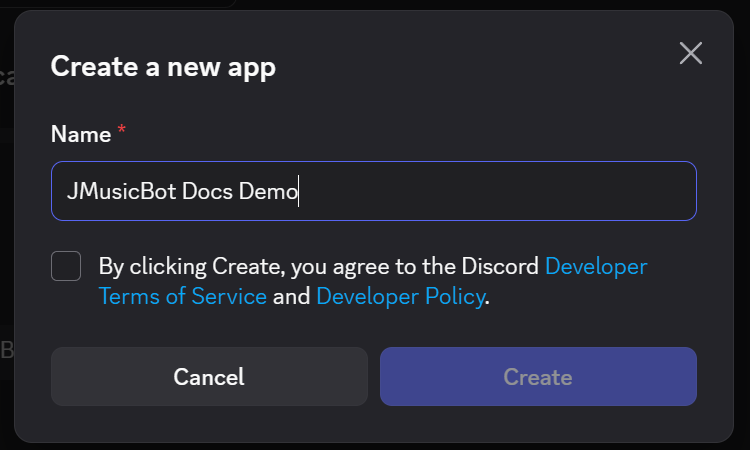
- Select New Application.
- Type the name you want people to see for the bot, agree to the terms, and select Create.
Copy the token
- In the menu on the left, open Bot.
- Select Reset Token and confirm. Discord shows the new token once.
- Select Copy and keep the token somewhere safe until the bot asks for it.

Turn on Message Content Intent
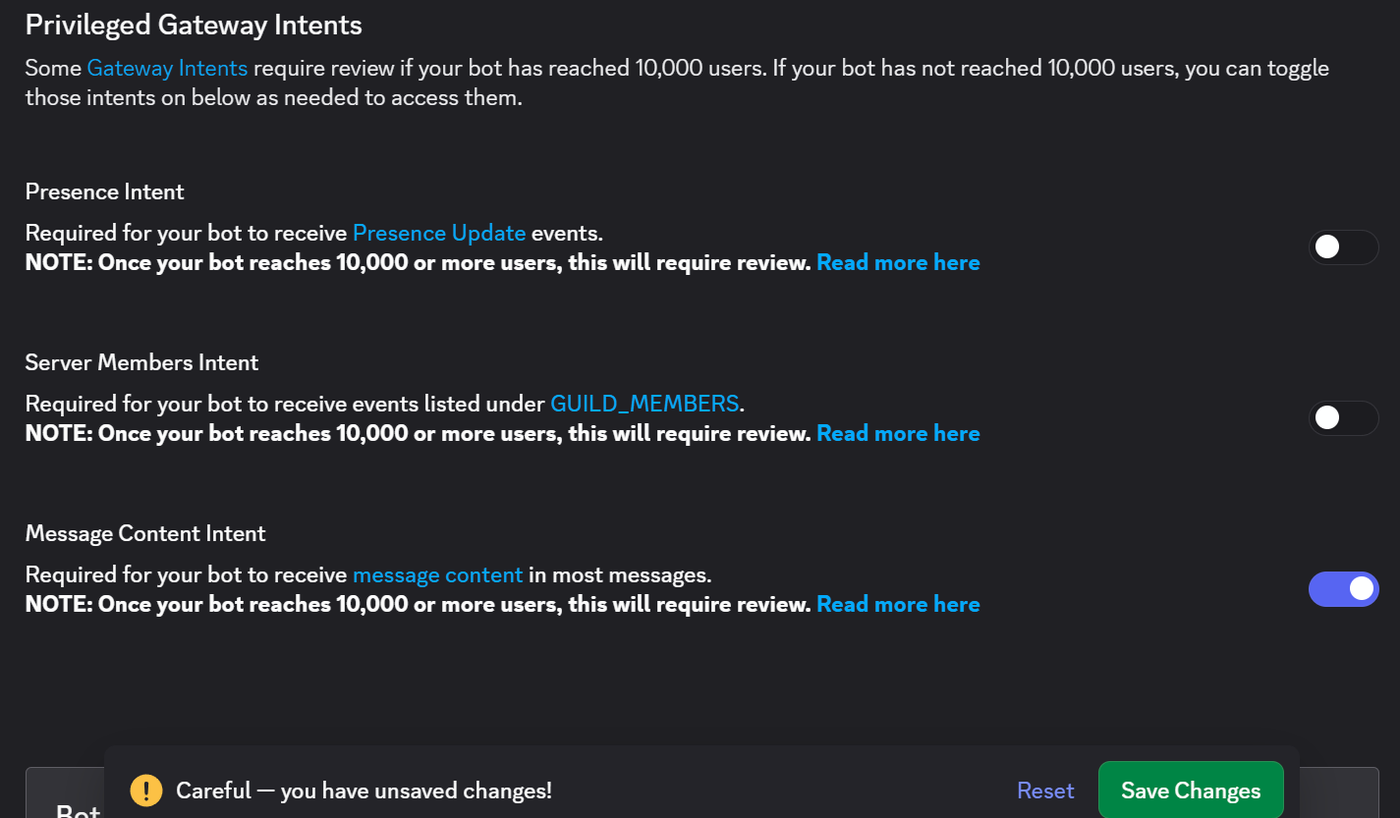
Still on the Bot page, scroll to Privileged Gateway Intents, turn on Message Content Intent, and select Save Changes.
Message Content Intent must be on
The bot asks Discord for this intent when it logs in. If it's off, Discord refuses the connection and the bot stops with "Your bot is missing required Discord intents!", so neither prefix nor slash commands work. It's the only privileged intent the bot needs, so leave the others off.
Put it in config.txt
The first time the bot runs, it asks you for the token and saves it (see First run). If you already
have a config.txt, paste the token there instead, and set owner to your own Discord user ID;
Find your user ID shows where to get it.
discord {
  token = "paste-your-token-here"
  owner = 123456789012345678
}
Keep it secret
Anyone with the token controls your bot
Don't post it in Discord, in a screenshot, or in a GitHub issue. If it leaks, go back to the Bot page and
select Reset Token. The old token stops working right away; paste the new one into config.txt and restart
the bot.
Next: Find your user ID.